VND Deposit Token — User Guide
A hands-on walkthrough of a tokenized bank-deposit system: every feature of the customer app and the bank operations console, what problem each one solves, exactly how to use it, and why it beats the way banks do it today.
1. What this system is
A digital form of a real bank deposit — not a cryptocurrency.
The VND Deposit Token is a bank deposit that has been put on a permissioned blockchain so it can move instantly, around the clock, and settle with certainty. One token always equals 1 VND of real money sitting in the bank. It is issued by the bank, backed 1-for-1 by a real deposit, and every holder is a KYC'd customer of that bank. There is no speculation, no volatility, and no anonymous wallet — it behaves exactly like the money in your account, only faster and programmable.
Because it is built on standard banking controls — dual approval, audit trails, freeze/clawback powers, and a regulator view — it is designed to satisfy a bank's risk, compliance and operations teams from day one, while giving corporate customers a dramatically better experience.
2. How this demo works
Three things to open, two demo companies, no real money.
This pilot is fully live on a private blockchain. You can click through everything yourself. There are three web addresses:
| What | Address | Who uses it |
|---|---|---|
| Customer app | app.vinpayment.com | Corporate customers (you) |
| Operations console | ops.vinpayment.com | Bank staff (compliance / ops) |
| Blockchain explorer | explorer.vinpayment.com | Anyone — public audit view |
Who you can sign in as
Sign-in is a simple role-picker for the demo (production uses the bank's single sign-on). No password, no wallet, no private keys — that is the point: customers never hold keys and never sign a blockchain transaction. The bank's orchestrator signs everything on their behalf (in production, from a hardware security module).
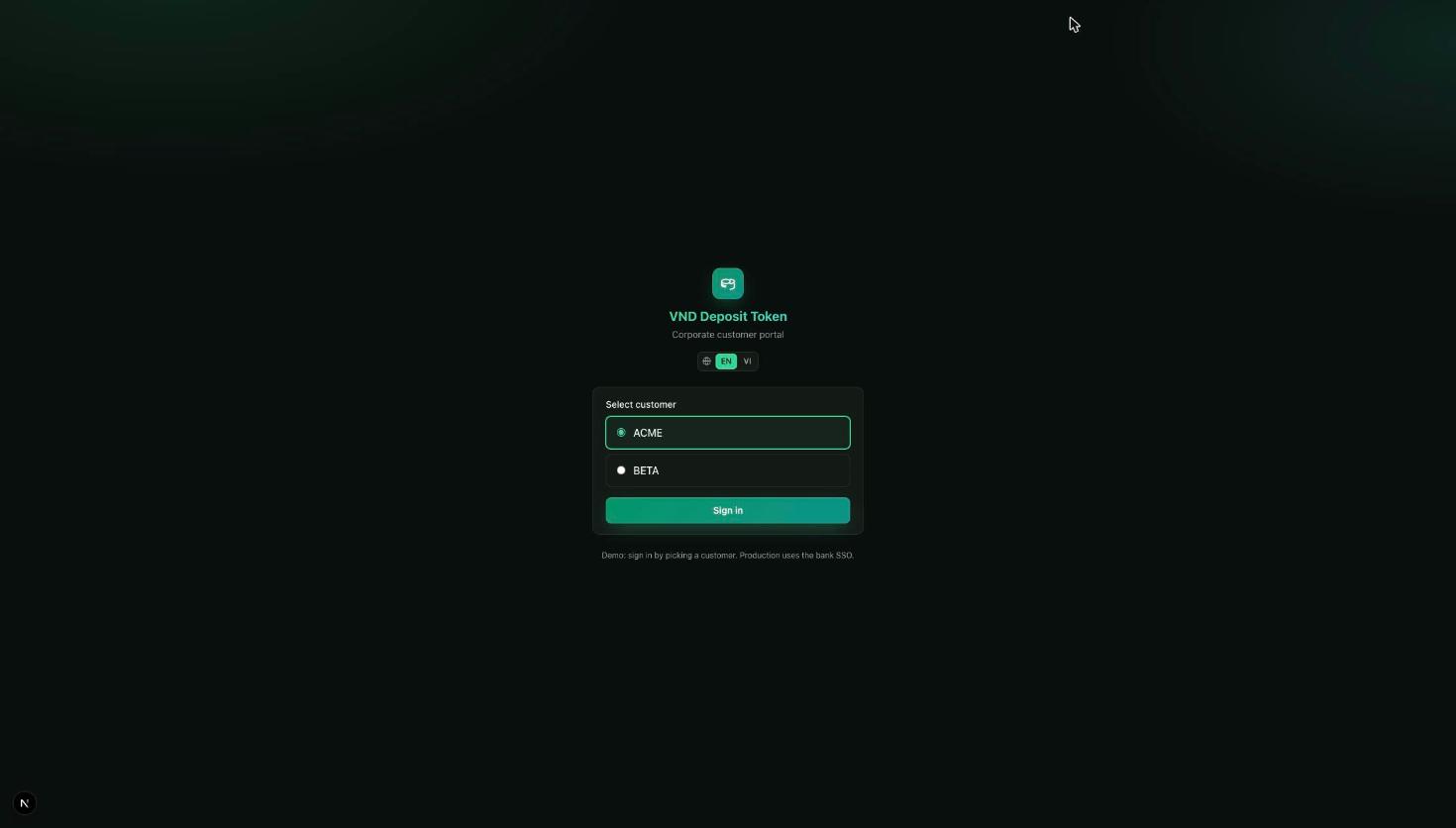
- Customer app — sign in as ACME (a corporate customer pre-loaded with activity) or BETA (a second company, used as a transfer counterparty).
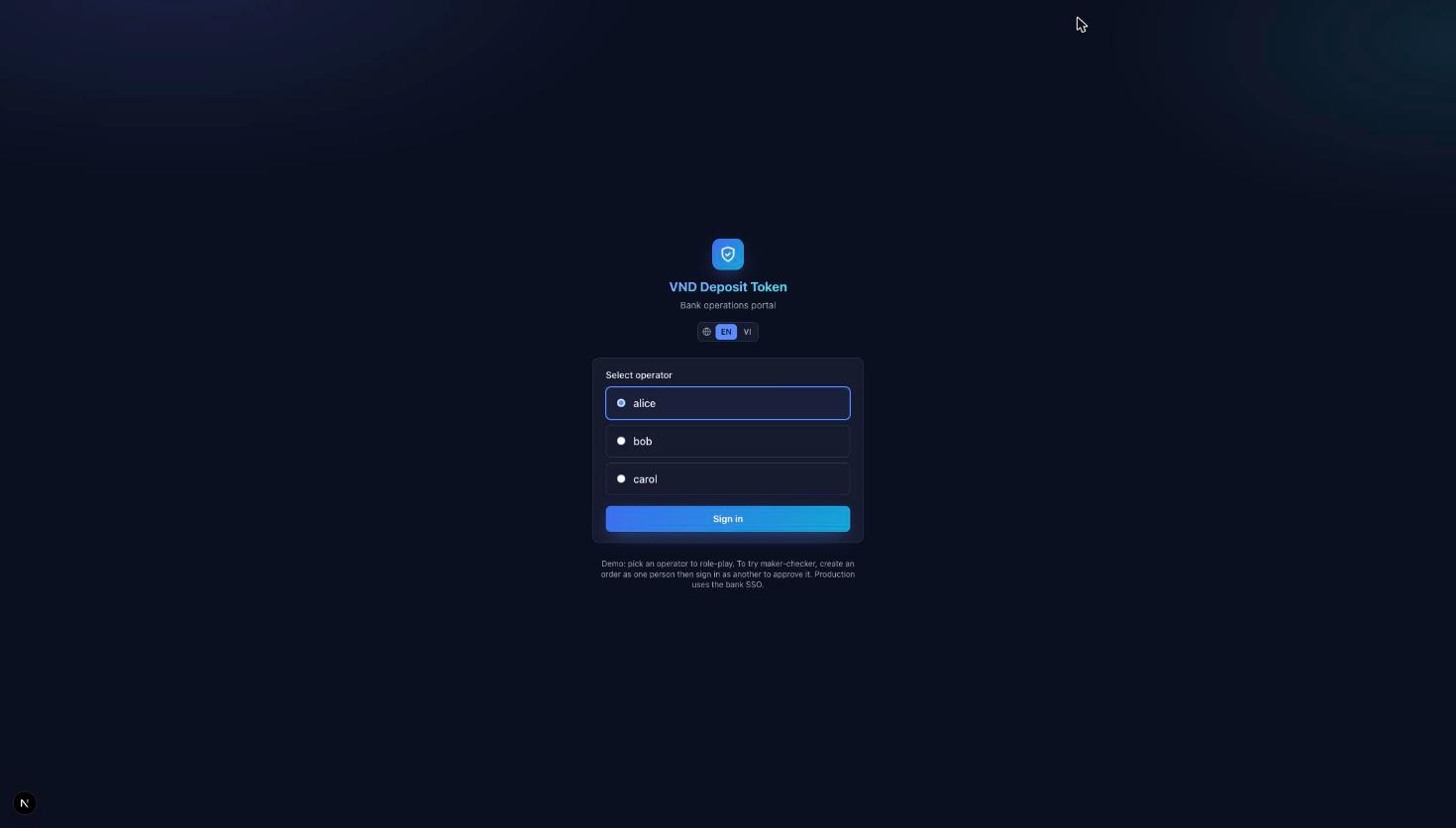
- Operations console — sign in as bank officer alice, bob or carol. To try dual-control approvals, create an order as one officer, then sign in as another to approve it.
3. Key terms & definitions
Skim these once — every screen below uses them.
- Deposit token
- A digital claim on 1 VND of real money at the bank. Decimals = 0, so 1 token = 1 VND exactly — VND has no sub-units.
- Tokenize / Deposit
- Turning ordinary money in your payment account into tokens you can move 24/7. Nothing leaves the bank — money simply changes form.
- Redeem
- The reverse: burning tokens to move value back into your ordinary payment account.
- Omnibus account
- A single pooled bank account that holds the real cash backing all tokens in circulation.
- Reconciliation / invariant
- The rule
tokens issued = omnibus balance, re-checked every block. If it ever breaks, the bank halts new issuance immediately. - Whitelist
- The on-chain list of KYC-approved wallets. Only whitelisted wallets can send or receive tokens — enforced by the contract, not just the app.
- Professional investor
- A regulatory flag a wallet needs before it may hold securities such as bonds. The bank grants it through dual approval.
- Maker-checker
- Two-person control: one officer creates a sensitive order, a different officer must approve it before anything happens on-chain.
- Certificate of Deposit (CD)
- A tokenized fixed-term deposit that pays principal + interest at maturity and can be traded before then.
- Bond & coupon
- A tokenized debt security that pays periodic interest ("coupons") and returns principal at maturity.
- Collateral loan / LTV
- Borrowing tokens instantly against a CD or bond you own, without cashing it in early. "Loan-to-value" caps how much you can borrow against the pledged face value.
- DvP (Delivery vs Payment)
- An atomic swap where the asset and the cash change hands in the same transaction — either both legs happen or neither does.
- Freeze / Clawback
- Compliance powers to block a wallet, or reverse tokens, under dual approval and a full audit trail.
- Finality
- On this network (QBFT consensus) a transaction is final the instant it lands in a block — there is no "reorg", so received money is certain in ~2 seconds.
- Core reference (coreRef)
- The bookkeeping id that ties every mint/burn on-chain to a matching entry in the bank's core ledger.
4. Customer portal — feature by feature
Following the menu, left to right: Overview → Deposit → Transfer → Certificates → Collateral loans → Bonds → Redeem → History.
4.1 Overview (dashboard)
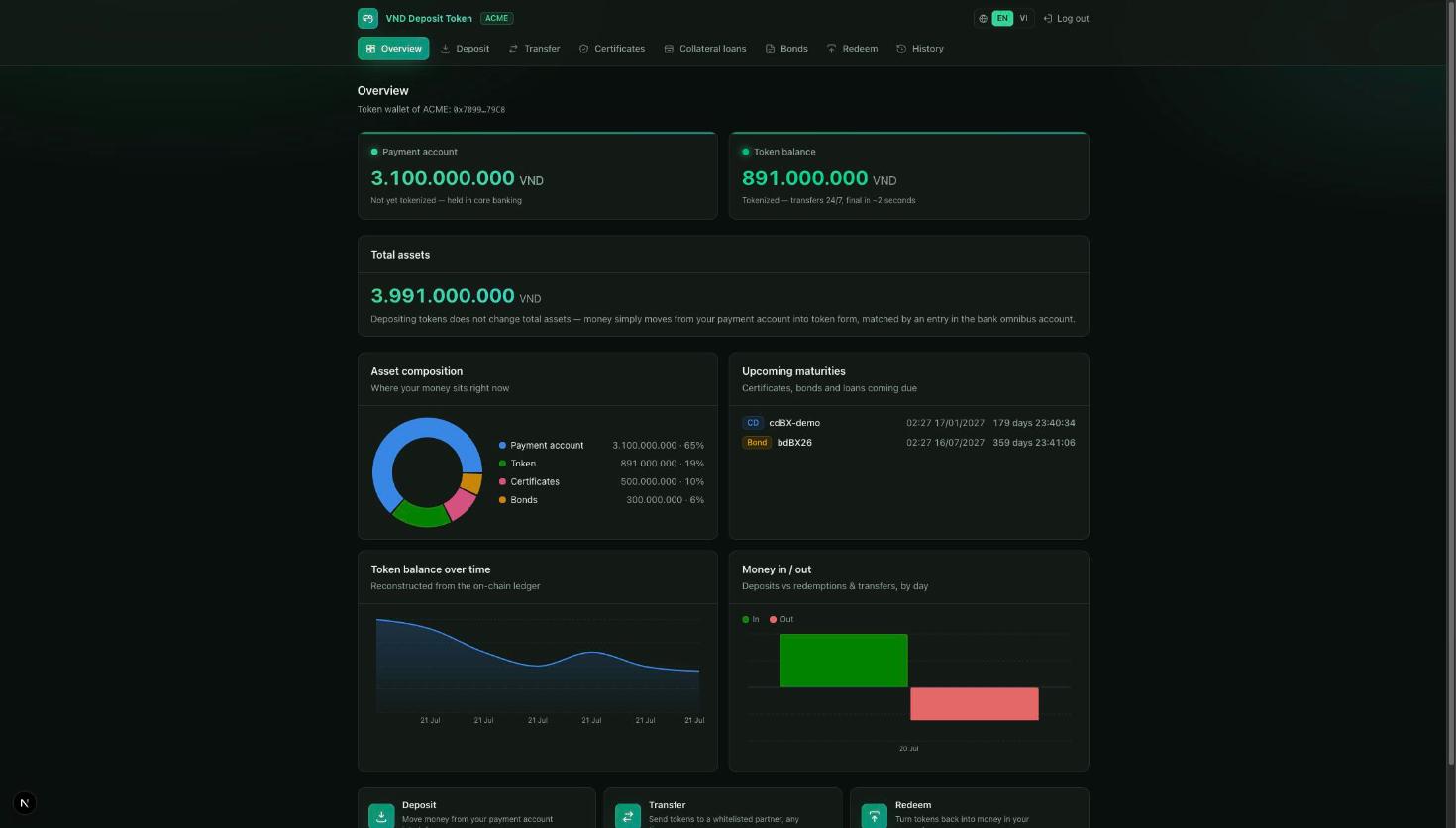
The dashboard places your payment account (ordinary money at the bank) next to your token balance (money you can move 24/7), and confirms that tokenizing never changes your total assets — value just shifts form. Below, four live views break down your position:
- Asset composition — a donut of where your money sits (payment / tokens / CDs / bonds). Hover any slice for the exact figure.
- Upcoming maturities — CDs, bonds and loans about to come due, with a live countdown.
- Token balance over time — rebuilt directly from the on-chain ledger.
- Money in / out — deposits versus redemptions and transfers, by day.
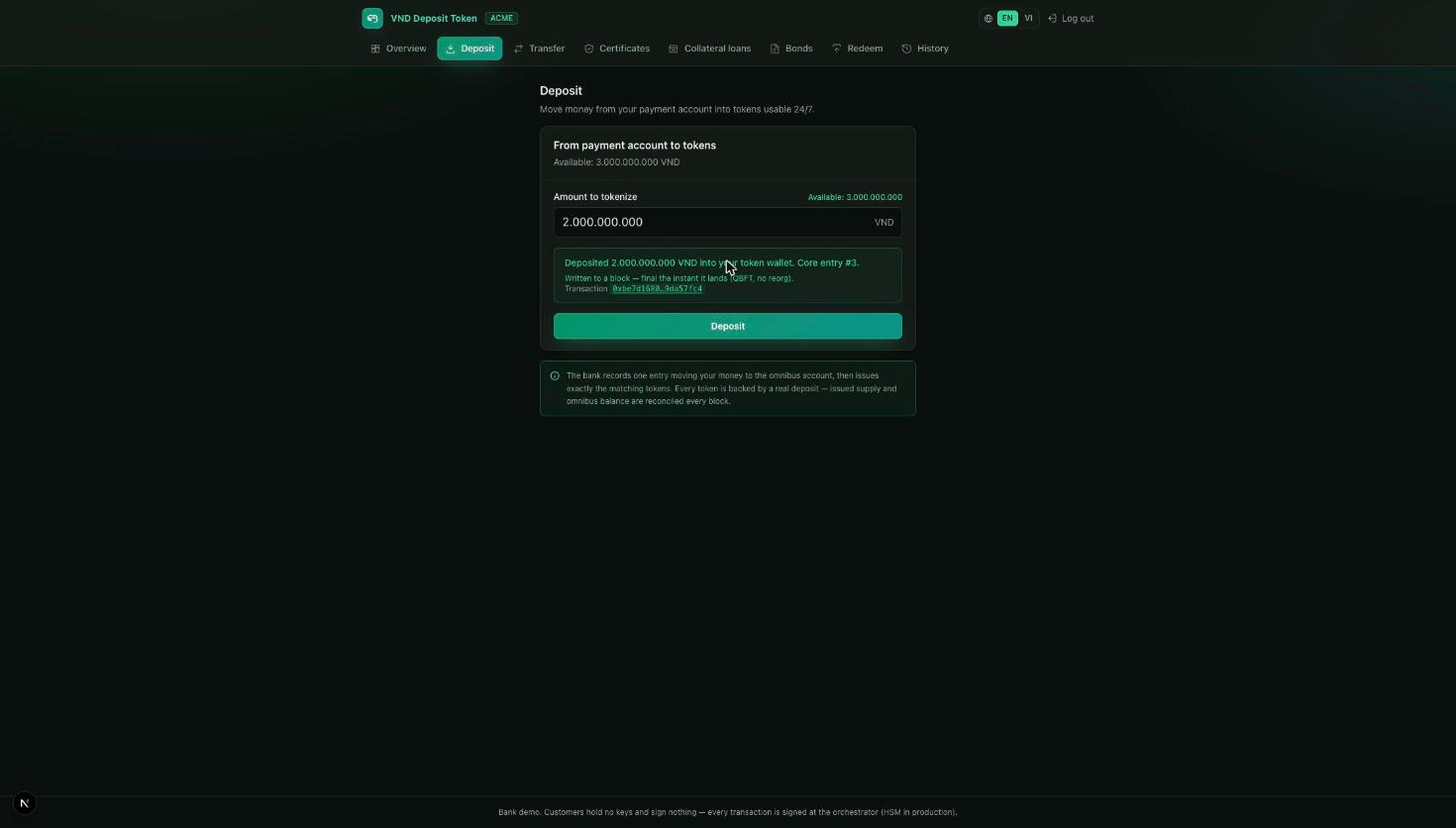
4.2 Deposit (tokenize)
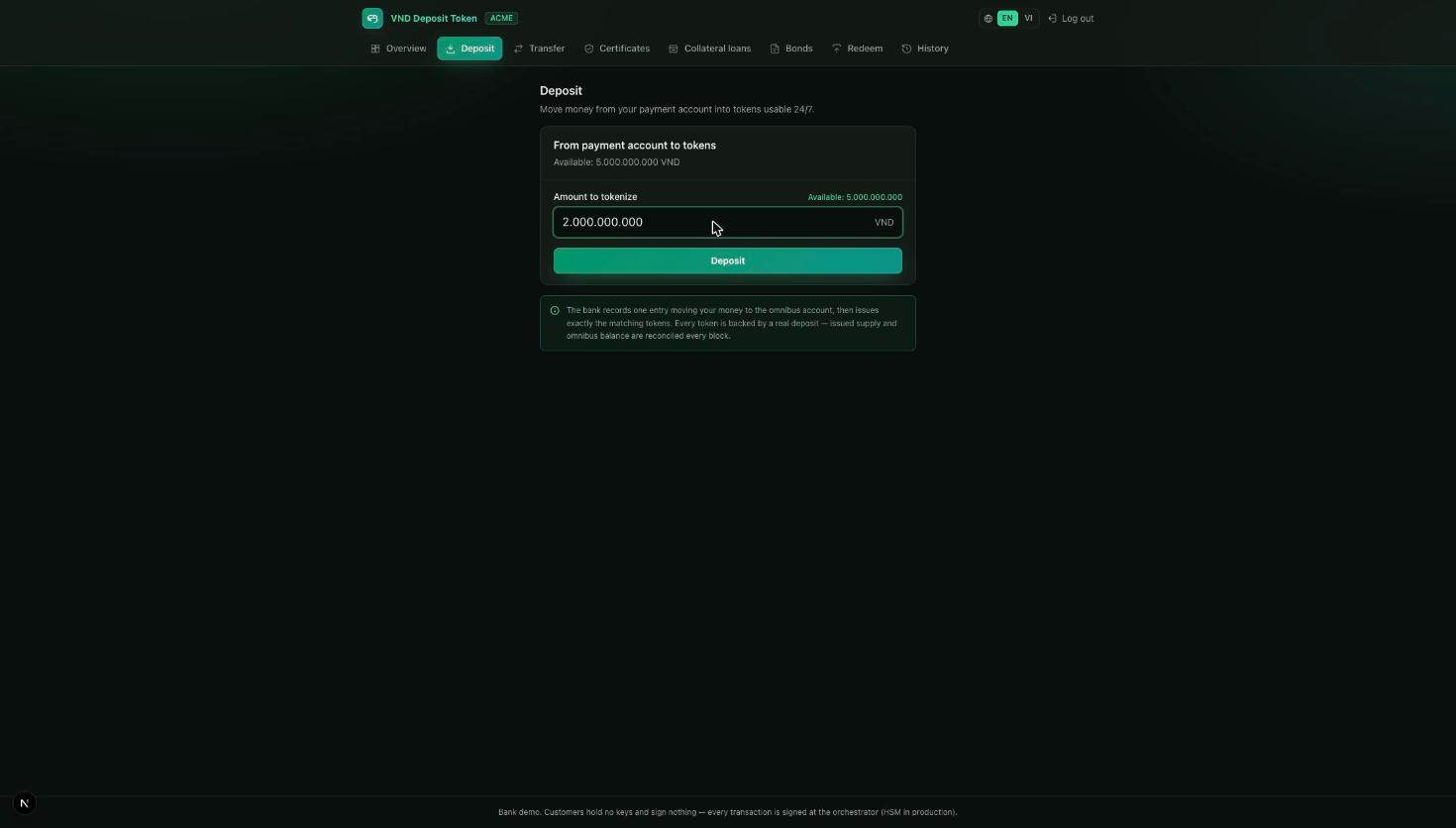
- Open Deposit and enter the amount to tokenize (or tap the available balance to use all of it).
- Press Deposit. The bank records one ledger entry moving your money into the omnibus account and issues exactly the matching tokens.
- You get an immediate confirmation with the on-chain transaction id — proof the tokens exist and are backed.
4.3 Transfer
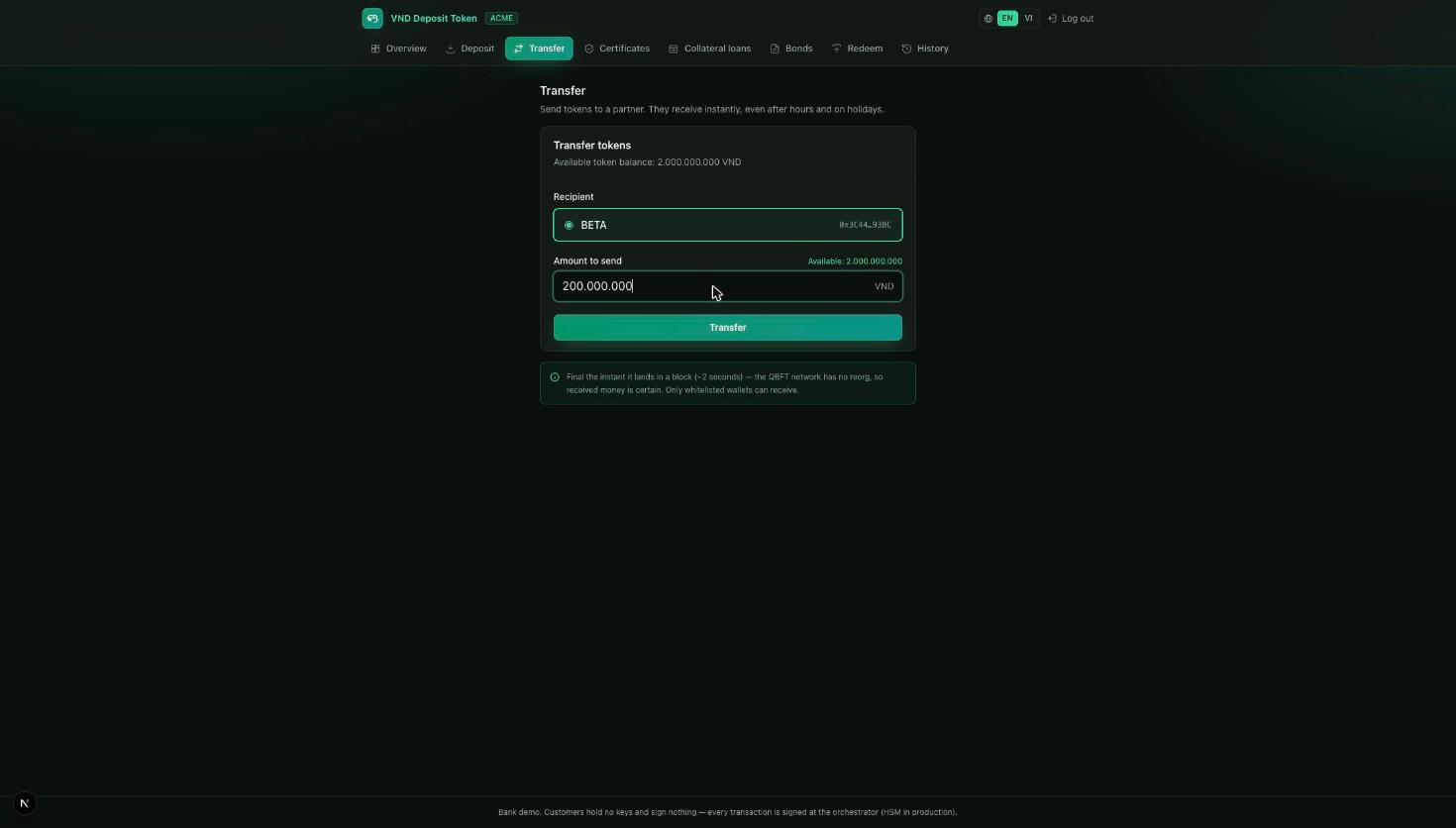
- Open Transfer and choose a recipient from your directory of whitelisted partners (here, BETA).
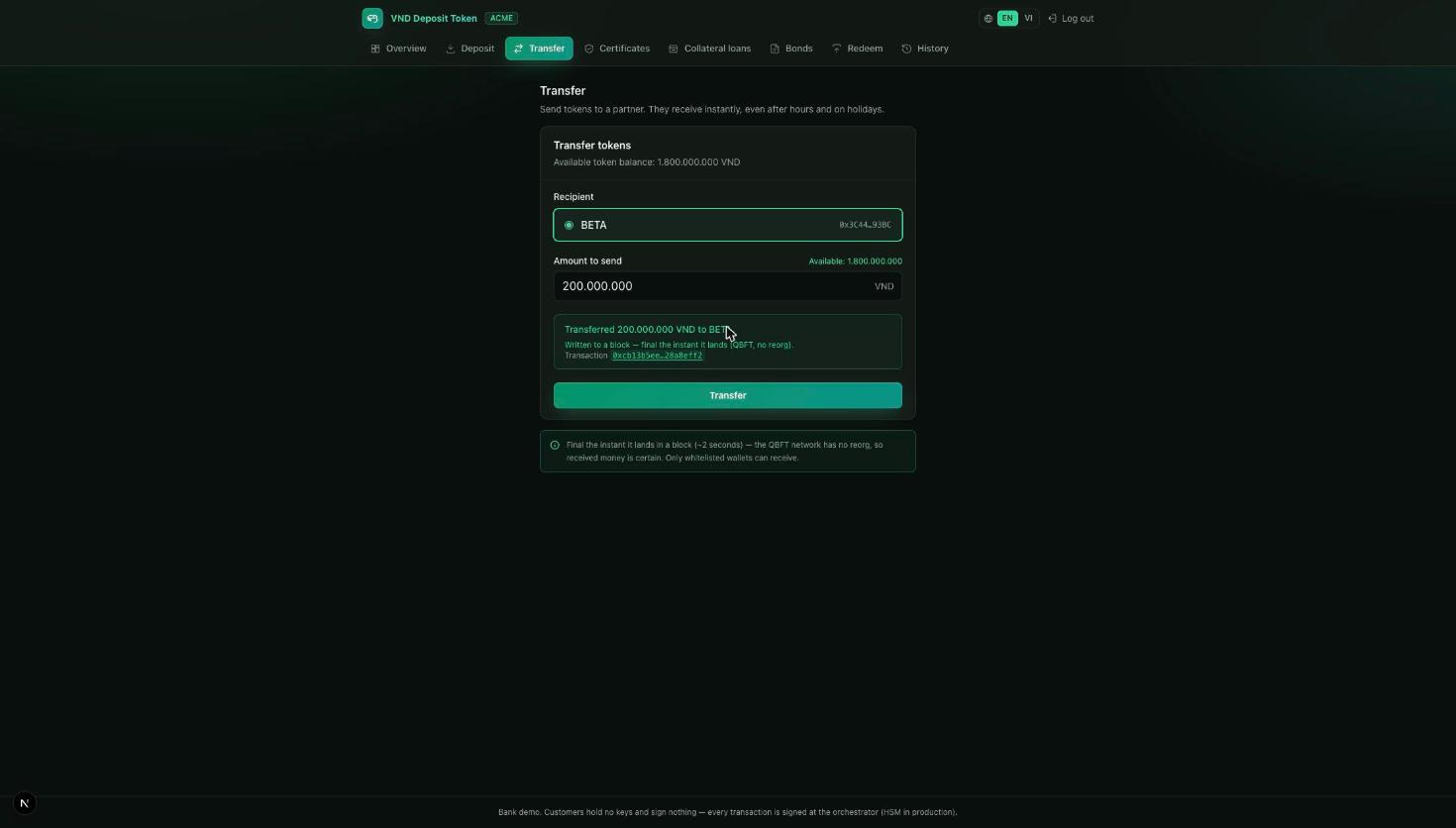
- Enter the amount and press Transfer.
- The transaction lands in a block and the recipient's balance updates immediately — final, no clearing wait.
4.4 Certificates of Deposit (CD)
Bank prerequisite: a CD product ("lot") must first be opened by the bank through two-person approval (see §5.3). Once open, it appears in your catalogue for primary purchase.
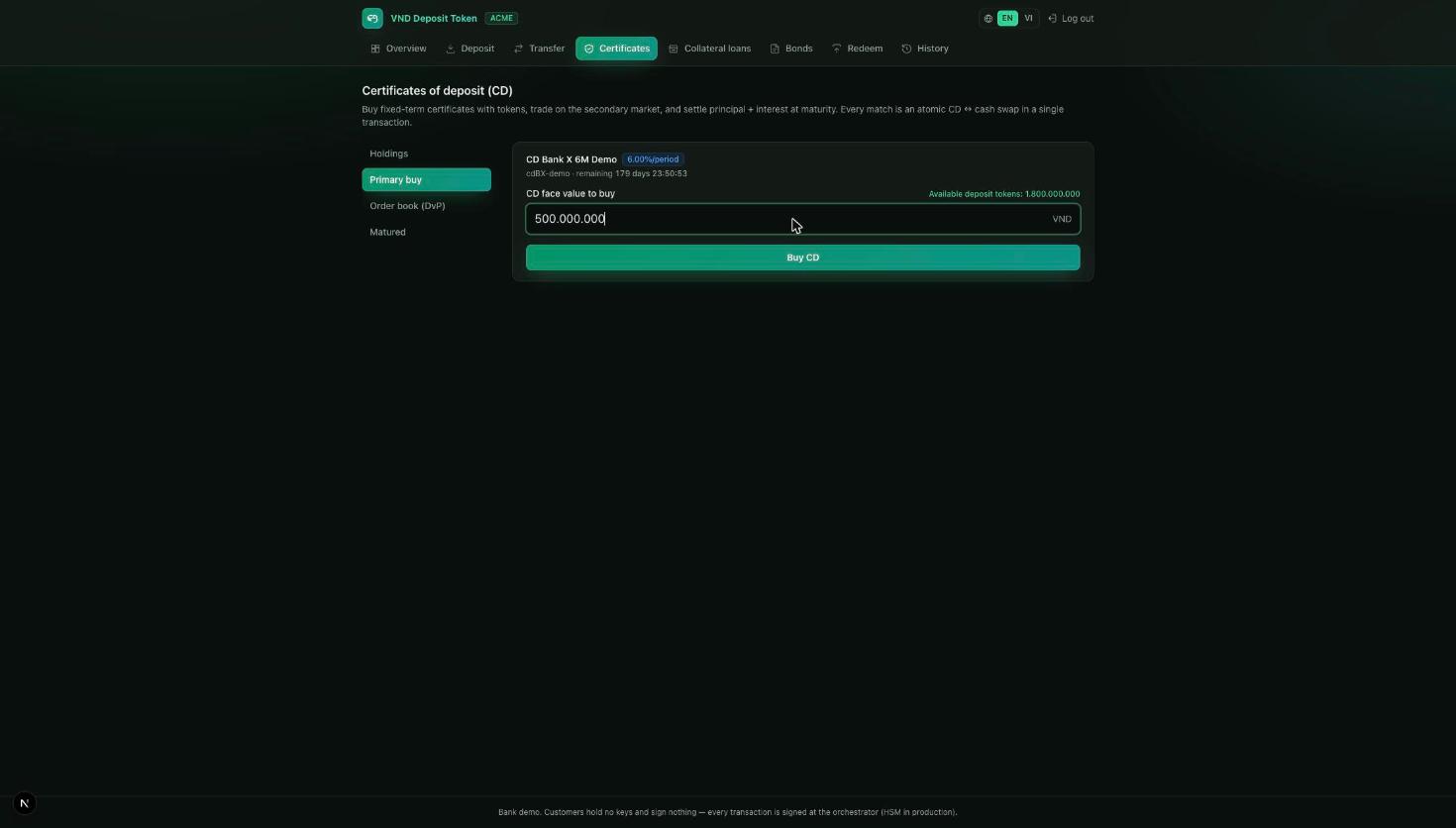
- Open Certificates → Primary buy, pick the lot (e.g. "CD Bank X 6M Demo", 6%/period) and enter the face value to buy.
- Press Buy CD. Your deposit tokens are burned and the matching CD is issued to you in one flow.
- See it under Holdings, with the interest and the exact payout at maturity. Matured lots settle back to your token wallet automatically.
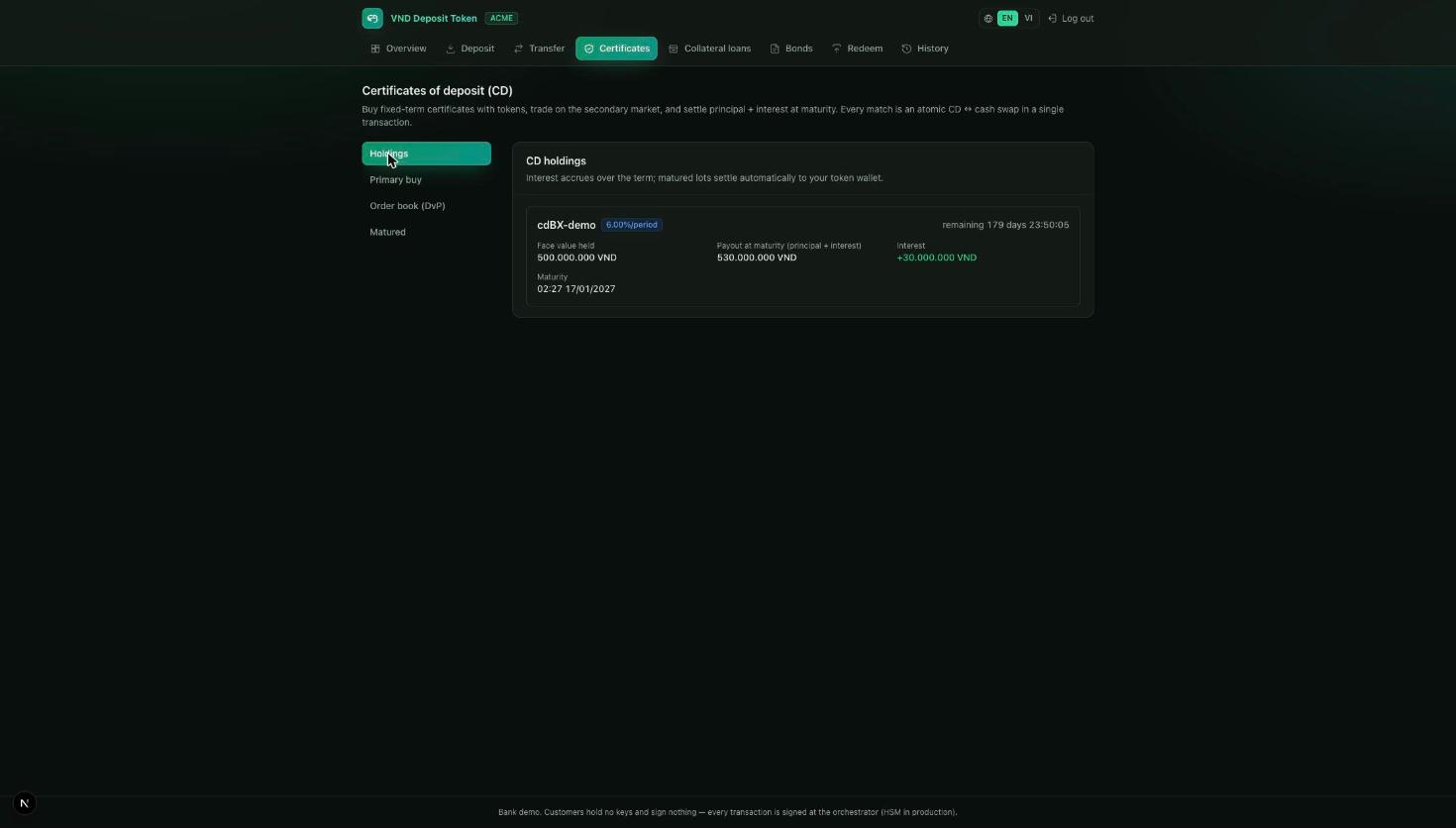
A secondary market is also built in: the Order book (DvP) lets holders trade CDs before maturity, with each match settling the certificate and the cash atomically in a single transaction.
4.5 Collateral loans
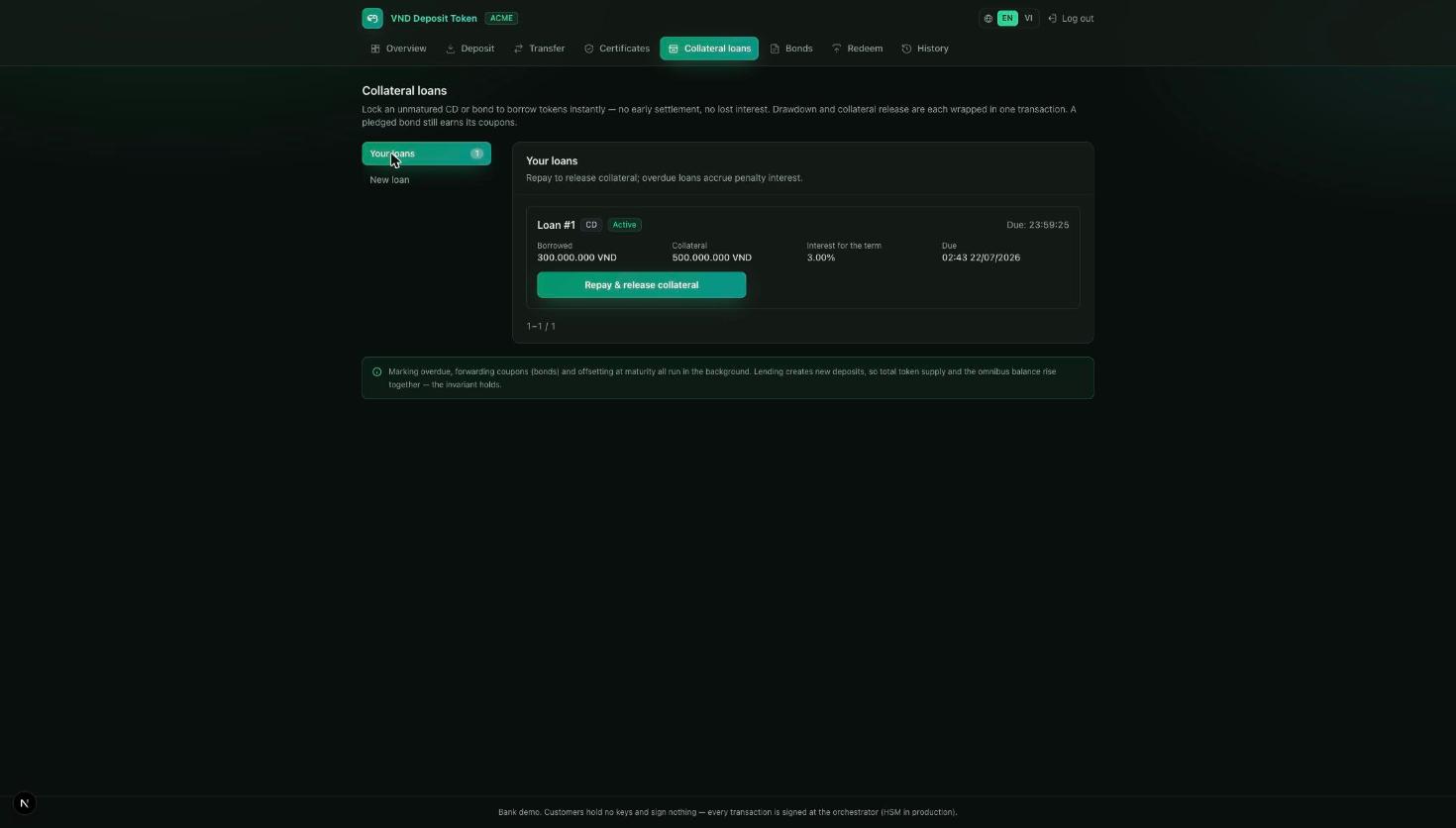
- Open Collateral loans → New loan, choose the asset to pledge (a CD or bond you hold), the amount to borrow (up to the bank's LTV limit) and the term.
- Press Borrow. The collateral is locked and freshly-issued tokens land in your wallet in the same transaction.
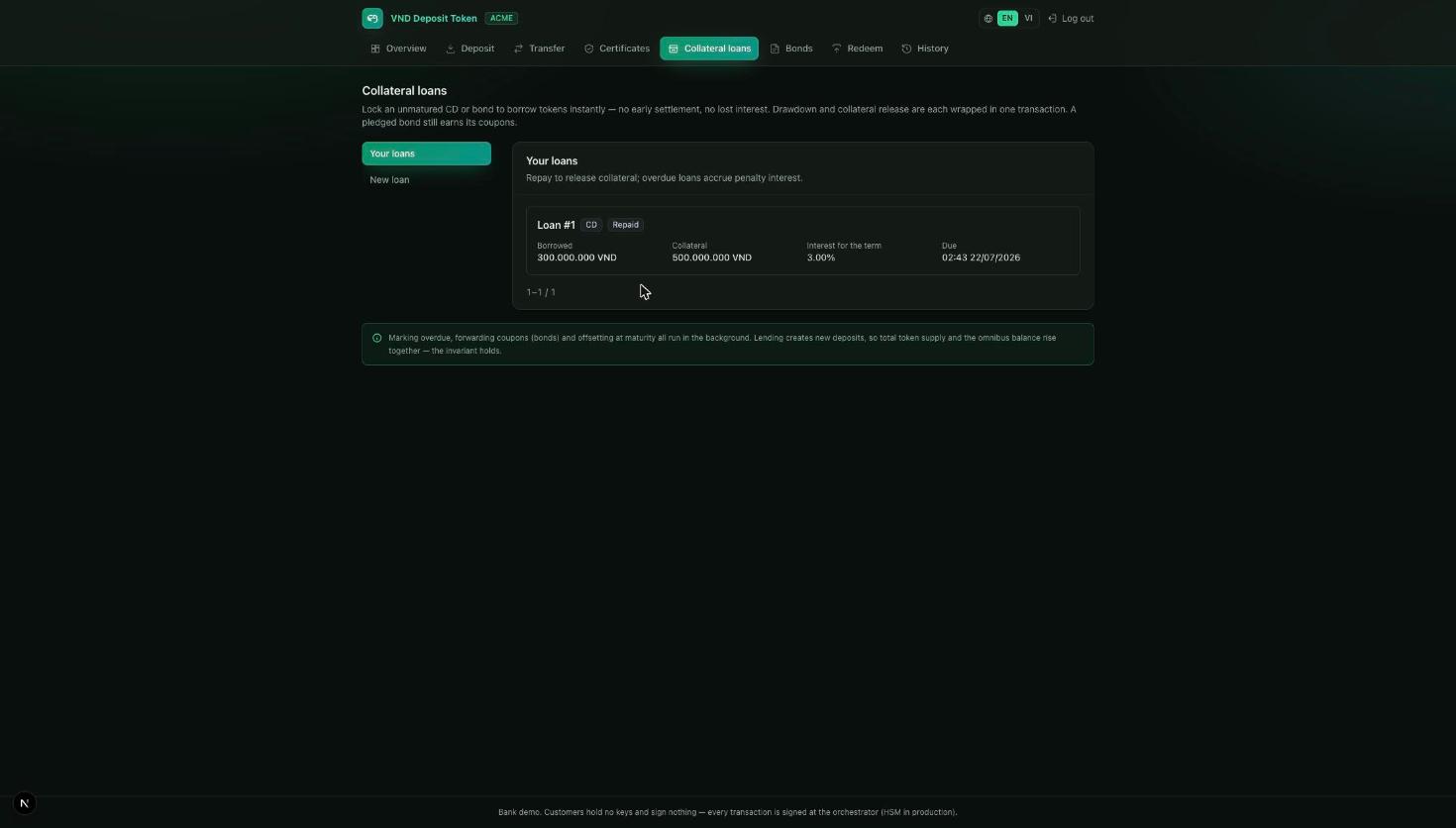
- Repay any time with Repay & release collateral to get your asset back. Overdue loans accrue a penalty; at maturity any unpaid balance is netted from the asset's settlement and the remainder returned to you.
4.6 Bonds
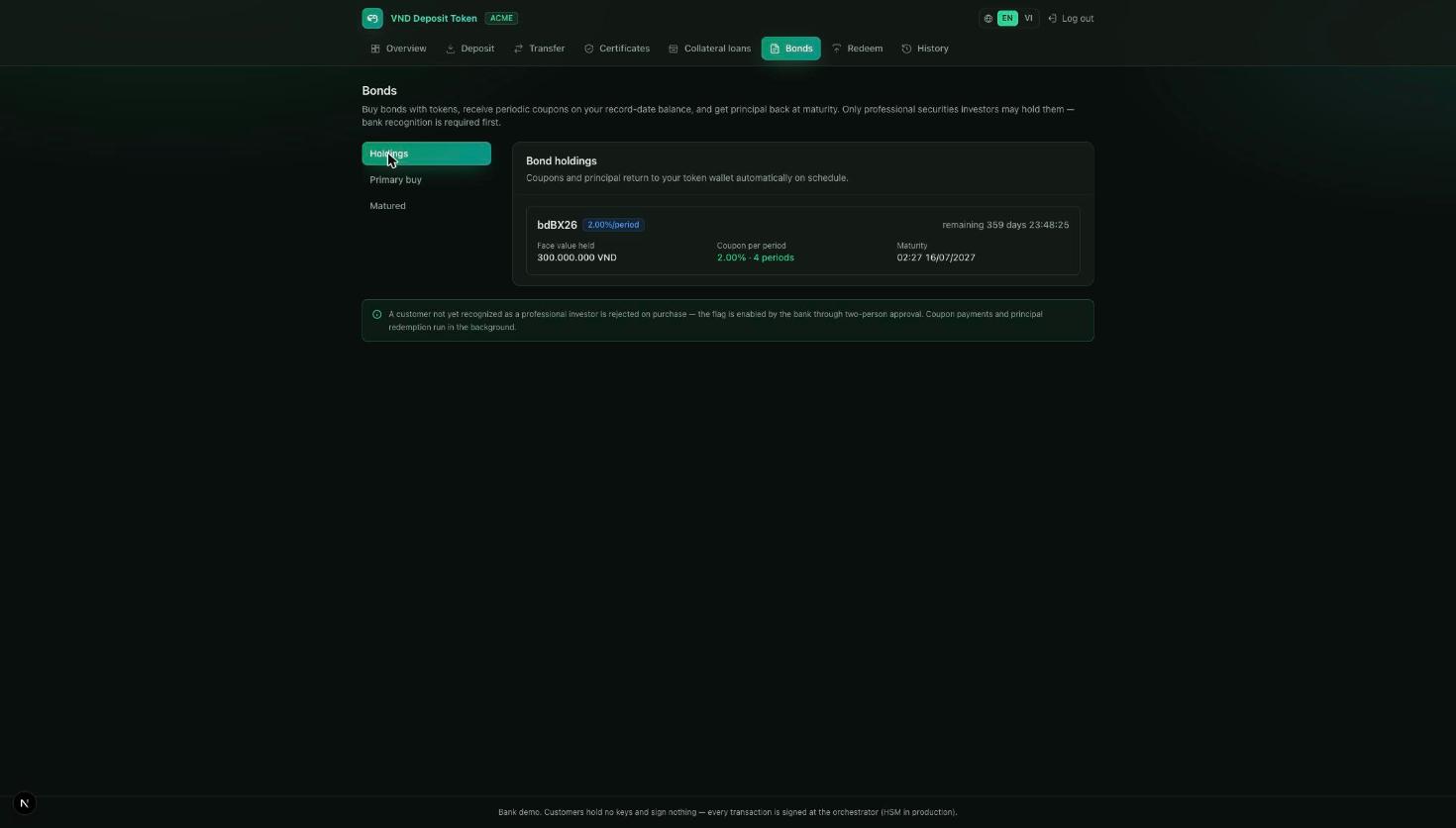
Bank prerequisites (two-person approval, §5.3): the bank must first recognize you as a professional investor, and issue the bond. Only professional-investor wallets may hold bonds — the token enforces this itself.
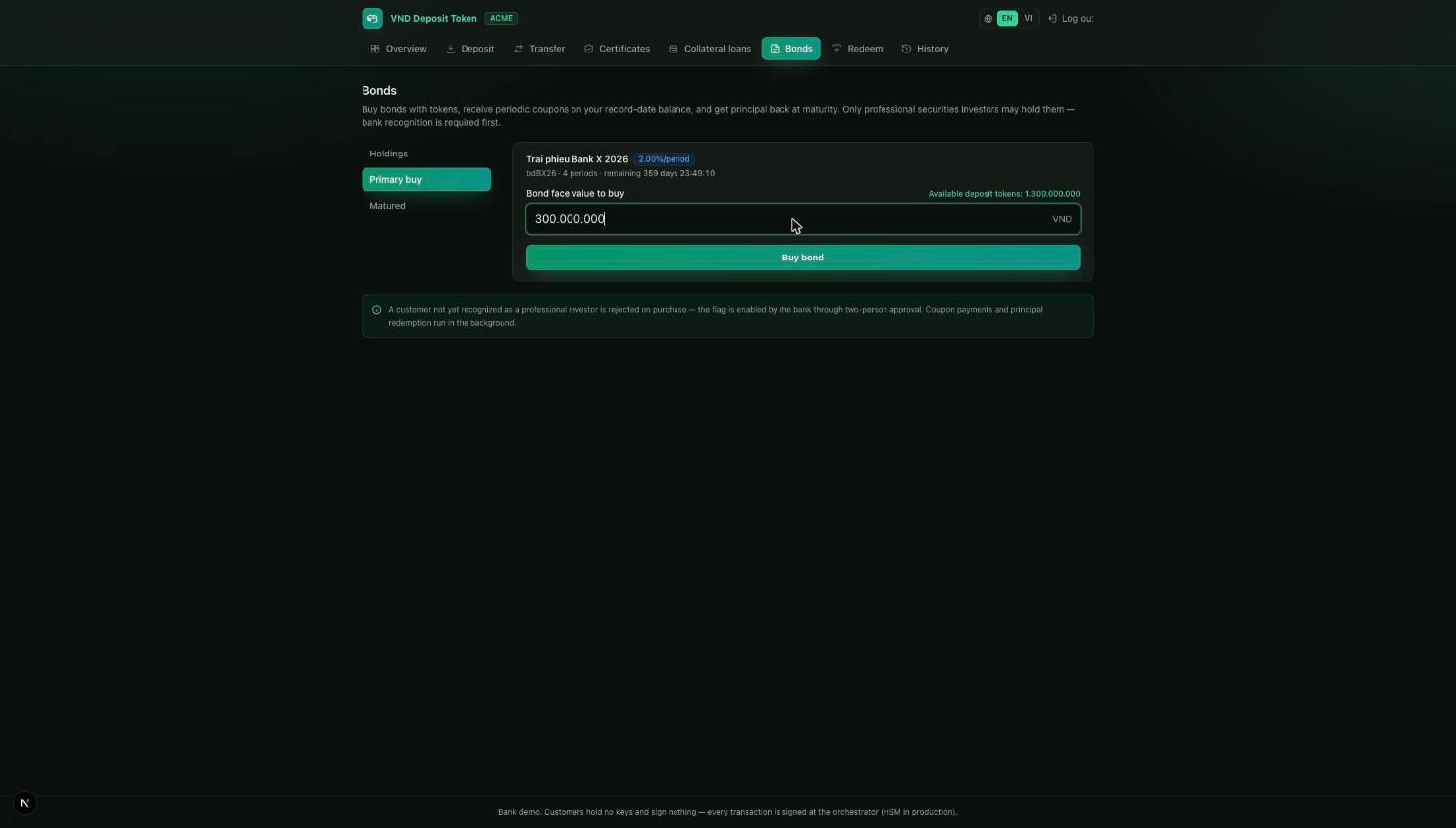
- Open Bonds → Primary buy, pick the bond (e.g. "Trai phieu Bank X 2026", 2%/period × 4) and enter the face value.
- Press Buy bond. Deposit tokens are burned and the bond is issued to you.
- Under Holdings you see the coupon schedule and maturity. Coupons and the final principal return to your token wallet automatically — no action needed.
4.7 Redeem
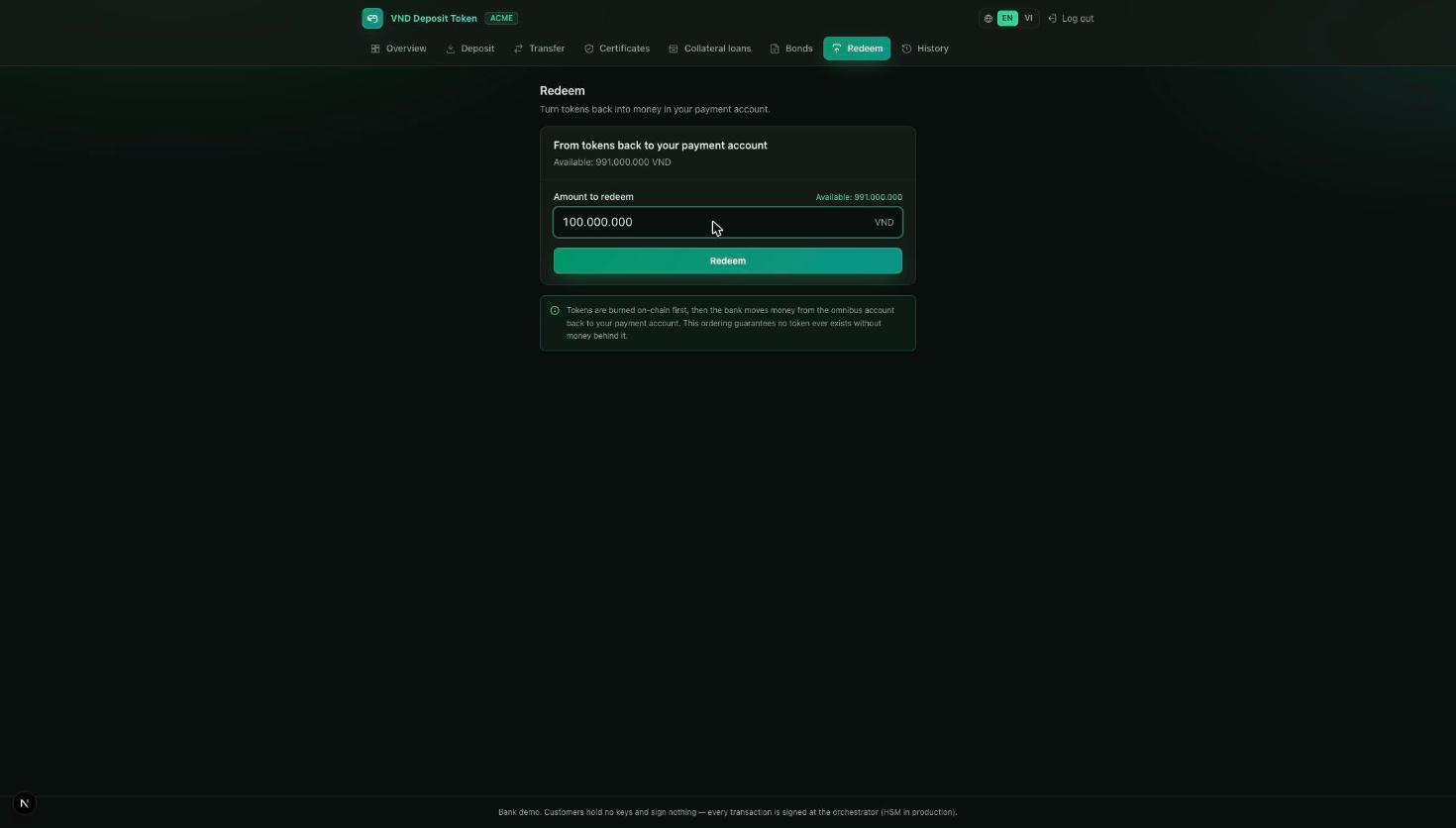
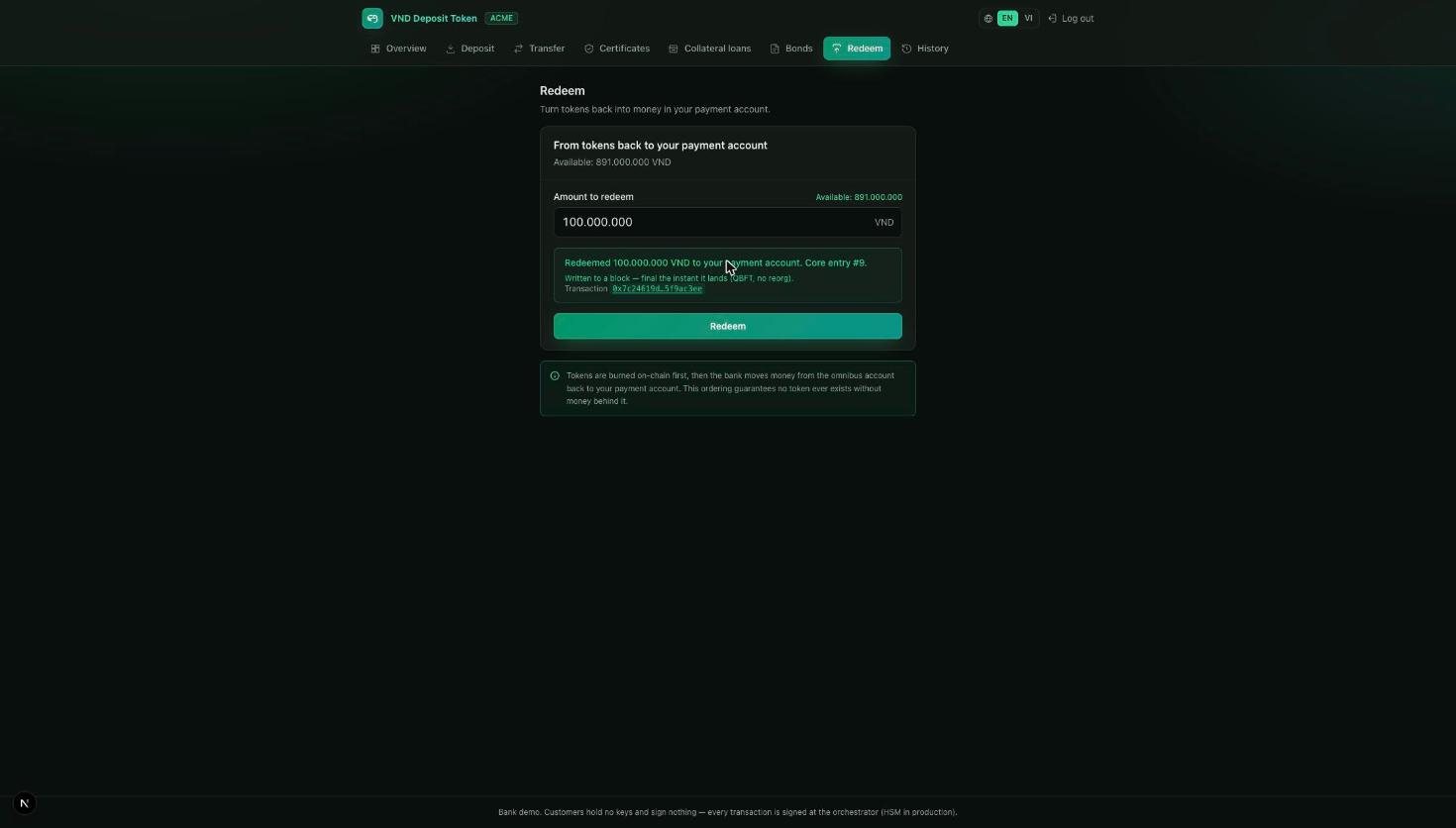
- Open Redeem and enter the amount (or tap the balance to redeem all).
- Press Redeem. Tokens are burned on-chain first, then the bank moves the matching money back to your payment account.
4.8 History
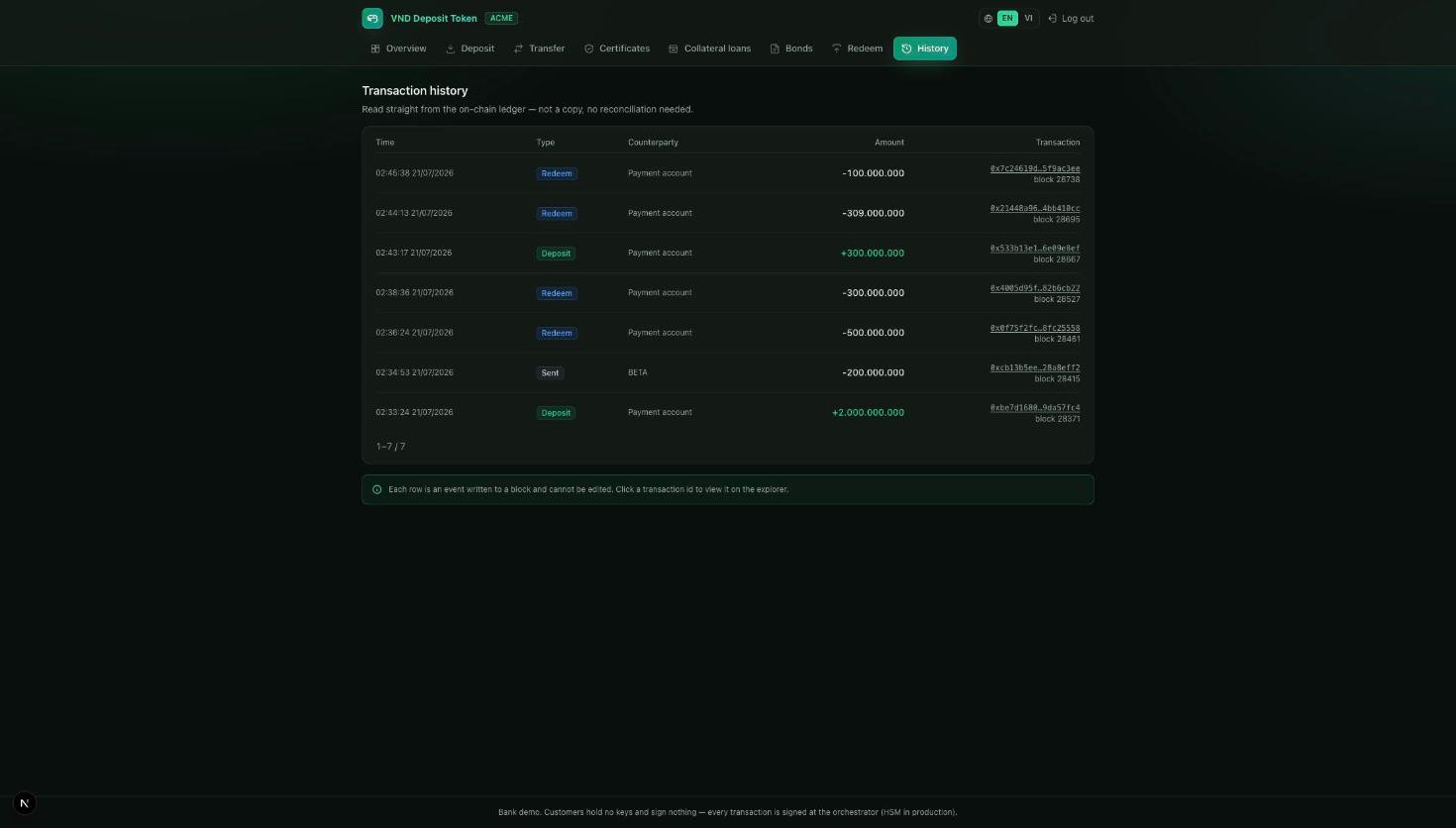
Each row is an event written to a block: time, type, counterparty, amount and the transaction id. Click any transaction id to open it in the public explorer. Because the list is the chain itself, there is nothing to reconcile — the statement is the source of truth.
5. Bank operations console
What the bank does behind the scenes to make the customer features possible — and safe.
5.1 Reconciliation
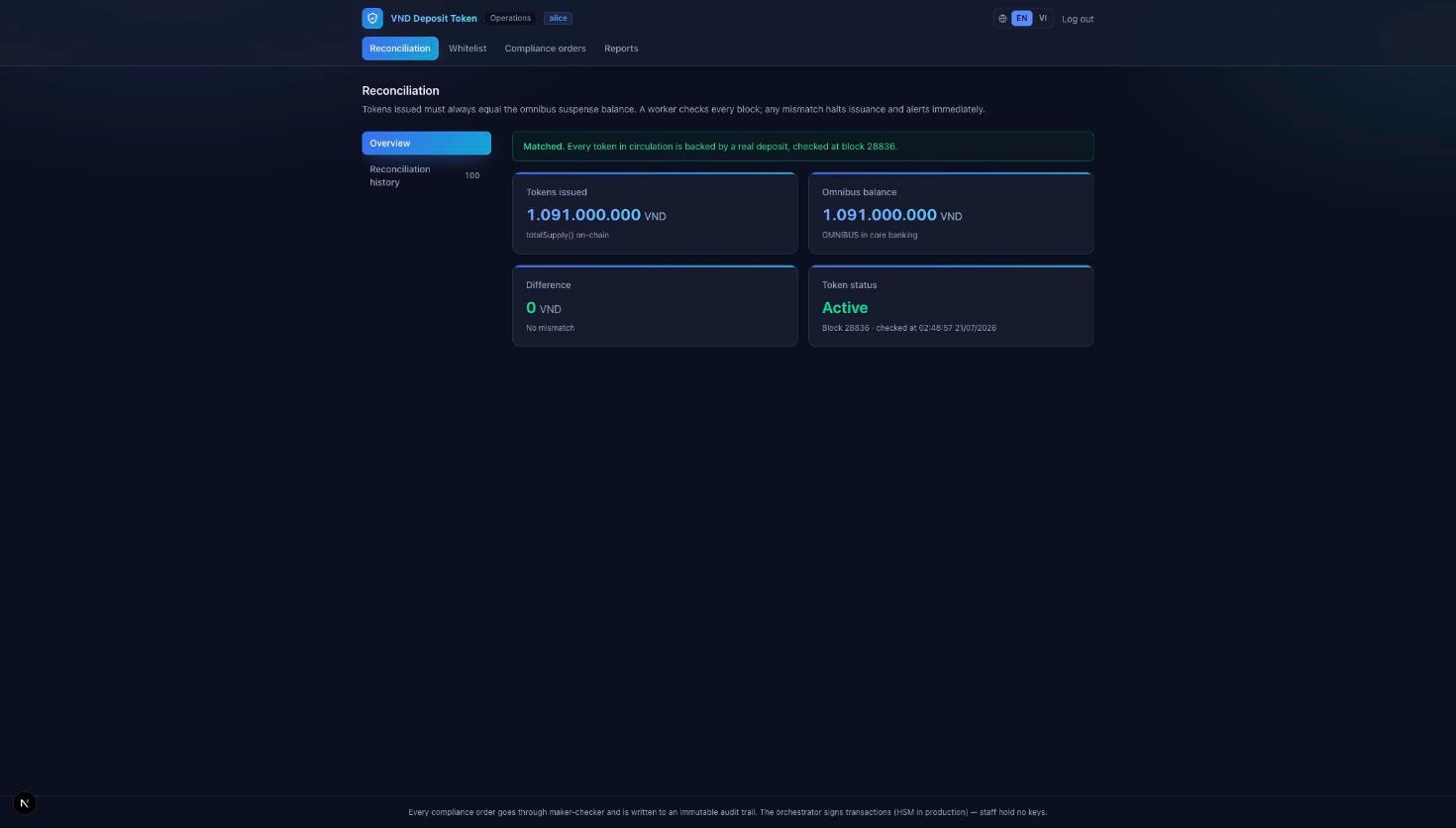
The console's home screen compares tokens issued (on-chain supply) with the omnibus balance (real cash in core banking). A worker re-checks it every block; the difference must be zero. If it ever isn't, the bank halts issuance and alerts immediately.
5.2 Whitelist / onboarding
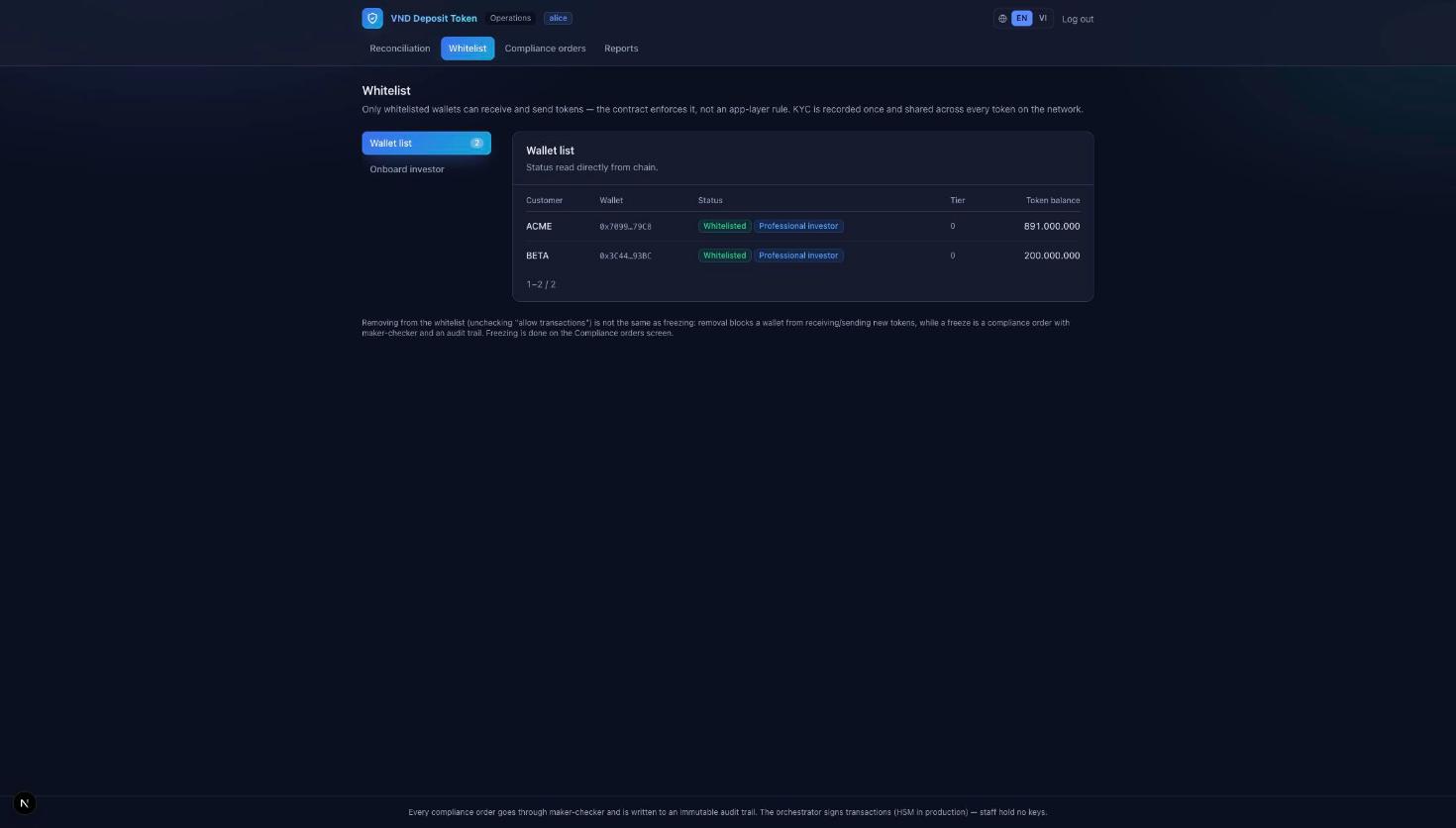
The Whitelist screen lists every wallet with its status read directly from the chain — whitelisted, professional-investor, tier and current balance. KYC is recorded once and honoured by every token on the network, so a customer is onboarded a single time, not per product.
5.3 Two-person approval (maker-checker)
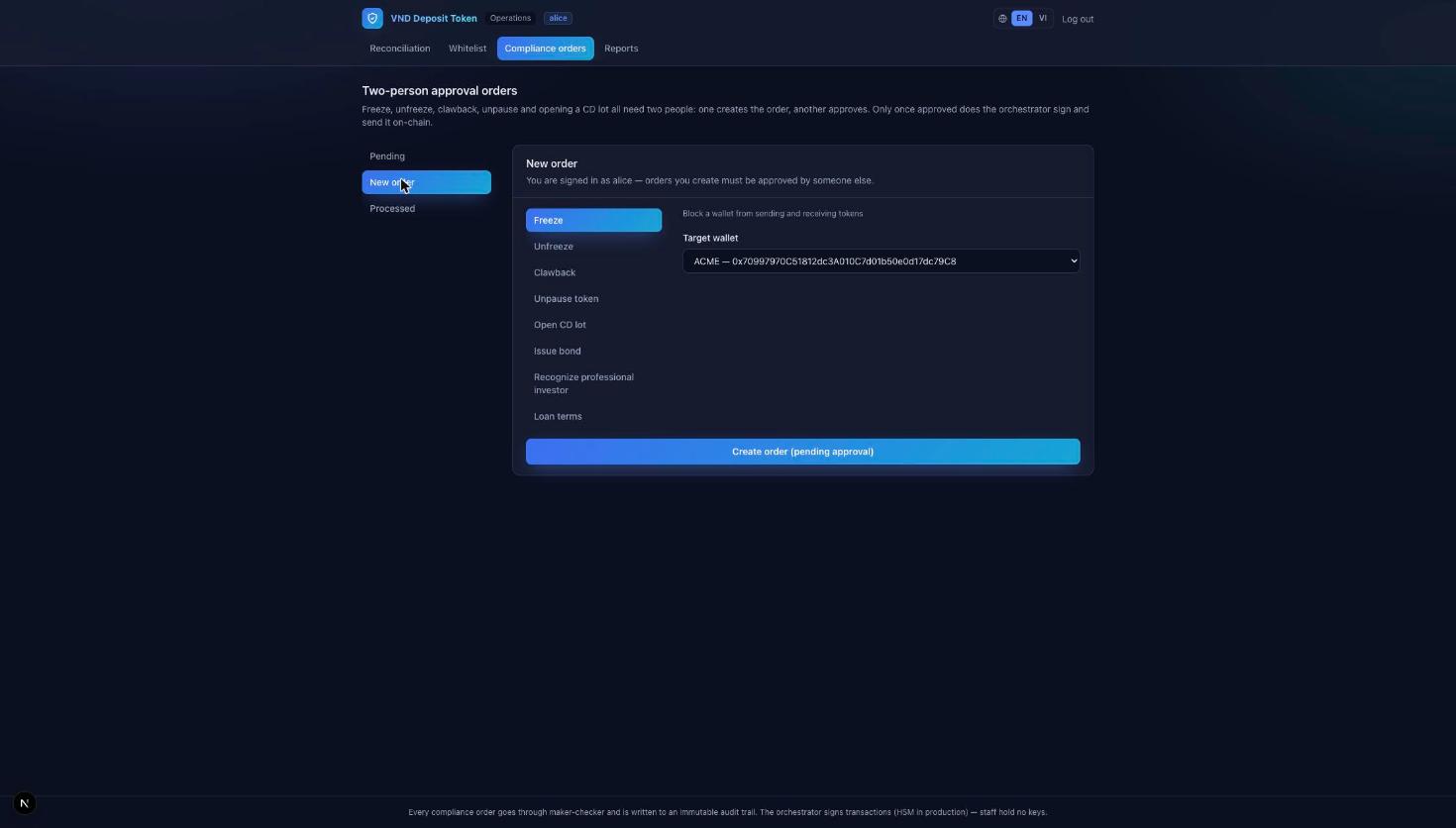
Under Compliance orders → New order, an officer can create any of these, each of which directly enables or protects a customer feature:
- Open CD lot / Issue bond — launch a new deposit or debt product for customers to buy.
- Recognize professional investor — grant the flag a customer needs to hold bonds.
- Loan terms — set the interest, penalty and tenor for collateral loans.
- Freeze / Unfreeze / Clawback — compliance controls over a wallet.
- Unpause token — lift an automatic halt after a reconciliation issue is resolved.
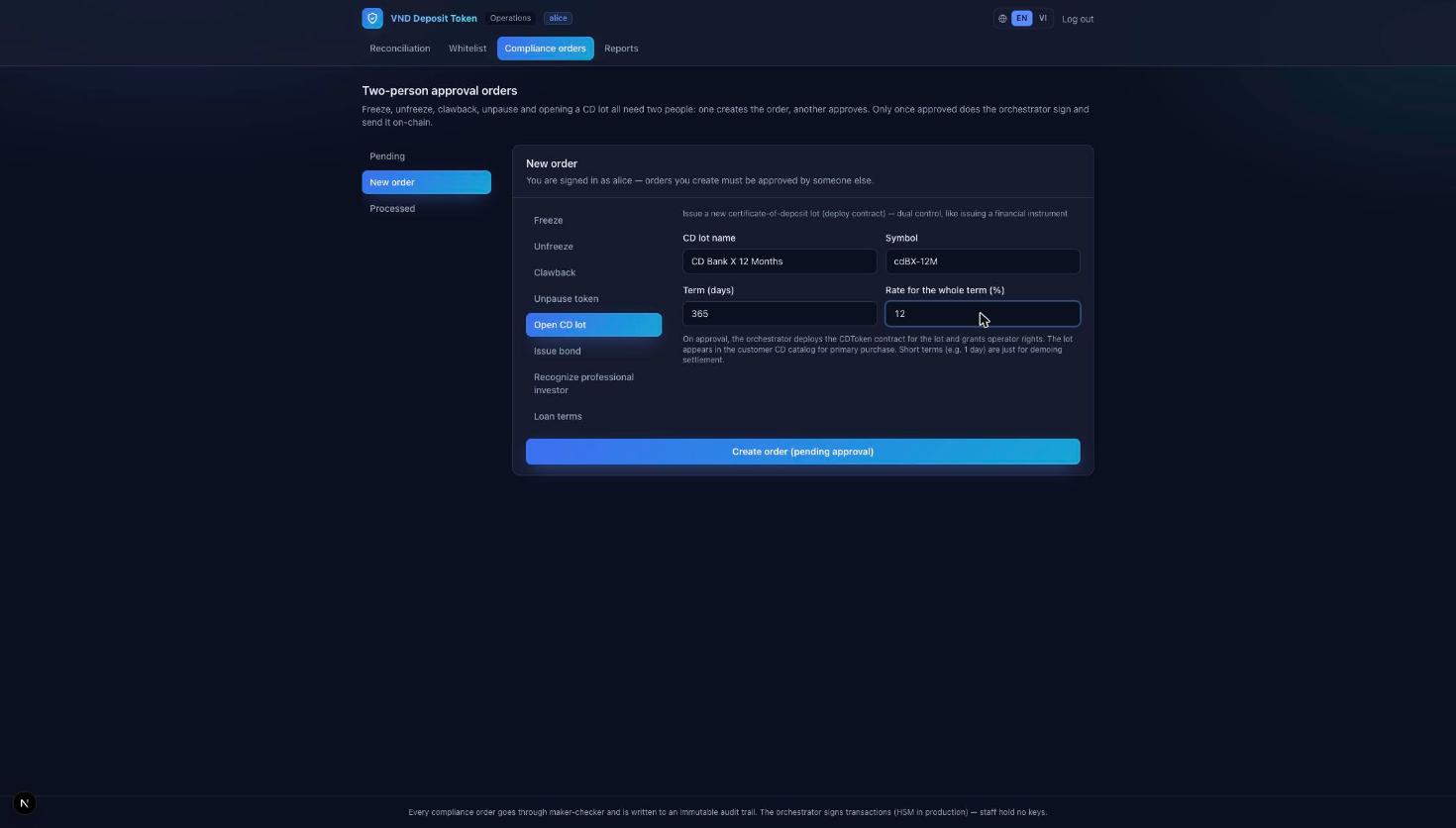
Worked example — the bank launches a new CD product (this is exactly the prerequisite for the customer CD feature in §4.4):
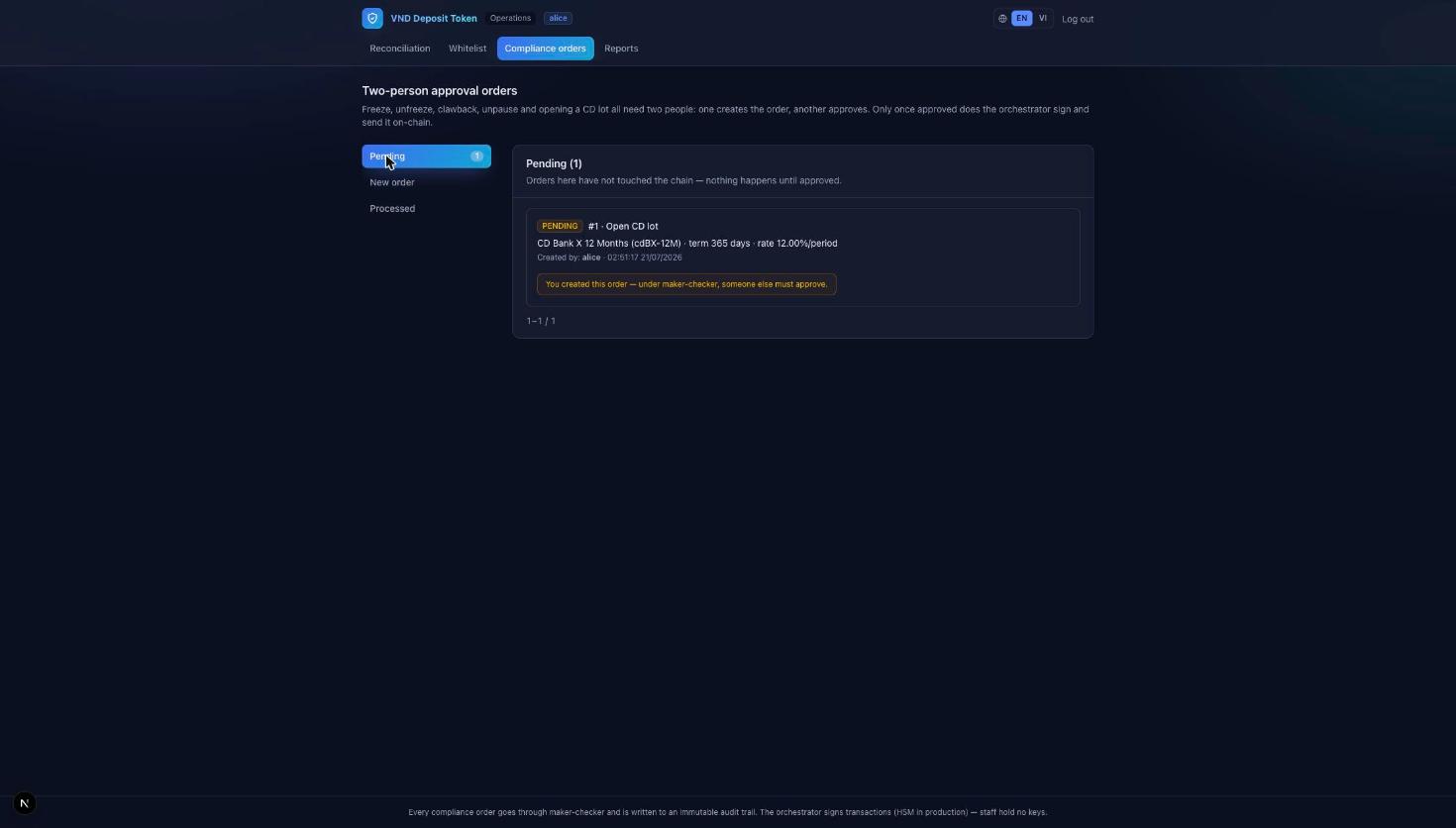
- Officer alice picks Open CD lot, names the product ("CD Bank X 12 Months", 365 days, 12%) and creates the order.
- The order sits in Pending. alice cannot approve her own order — the system says so explicitly.
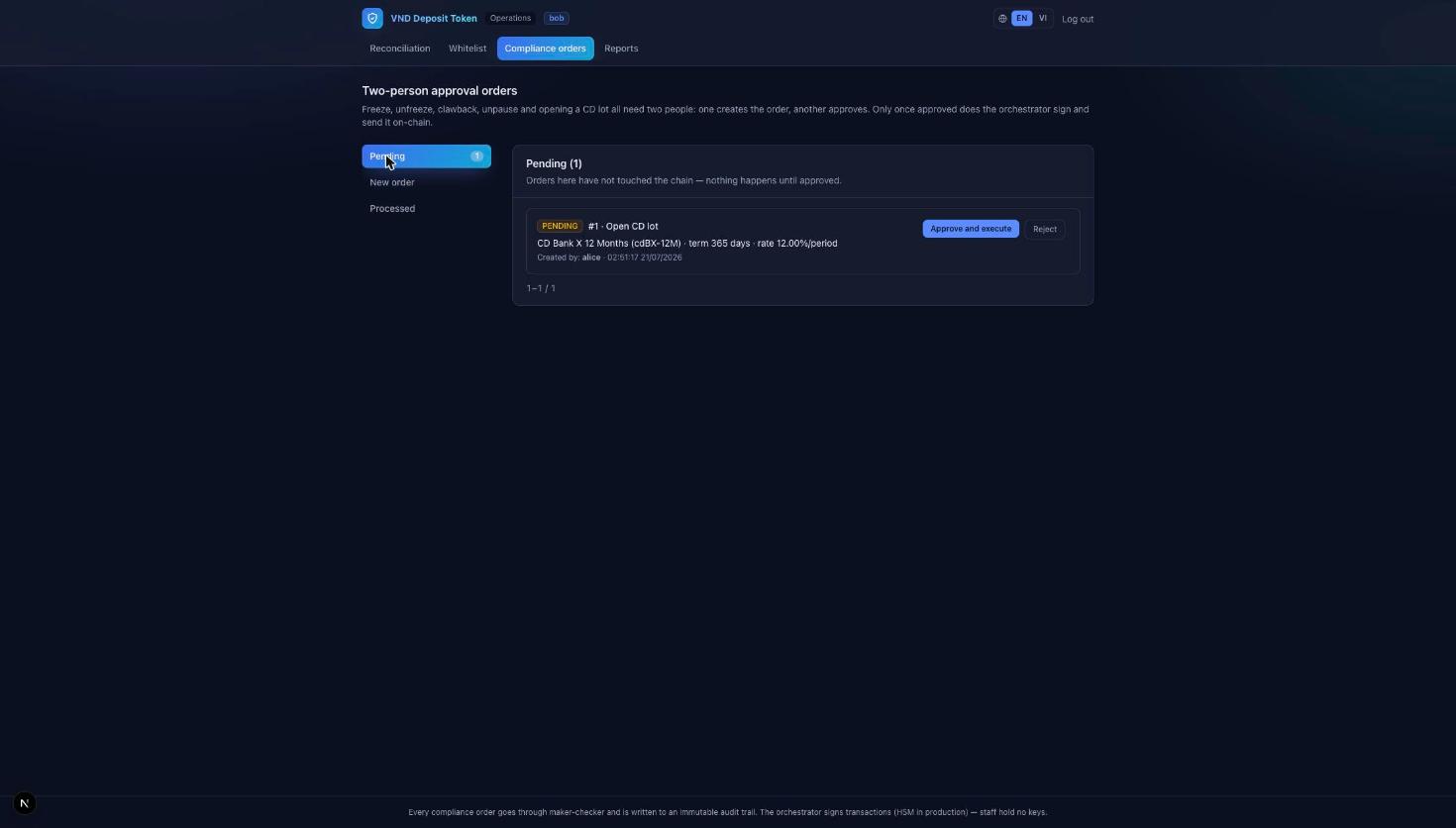
- Officer bob signs in, reviews the pending order and presses Approve and execute.
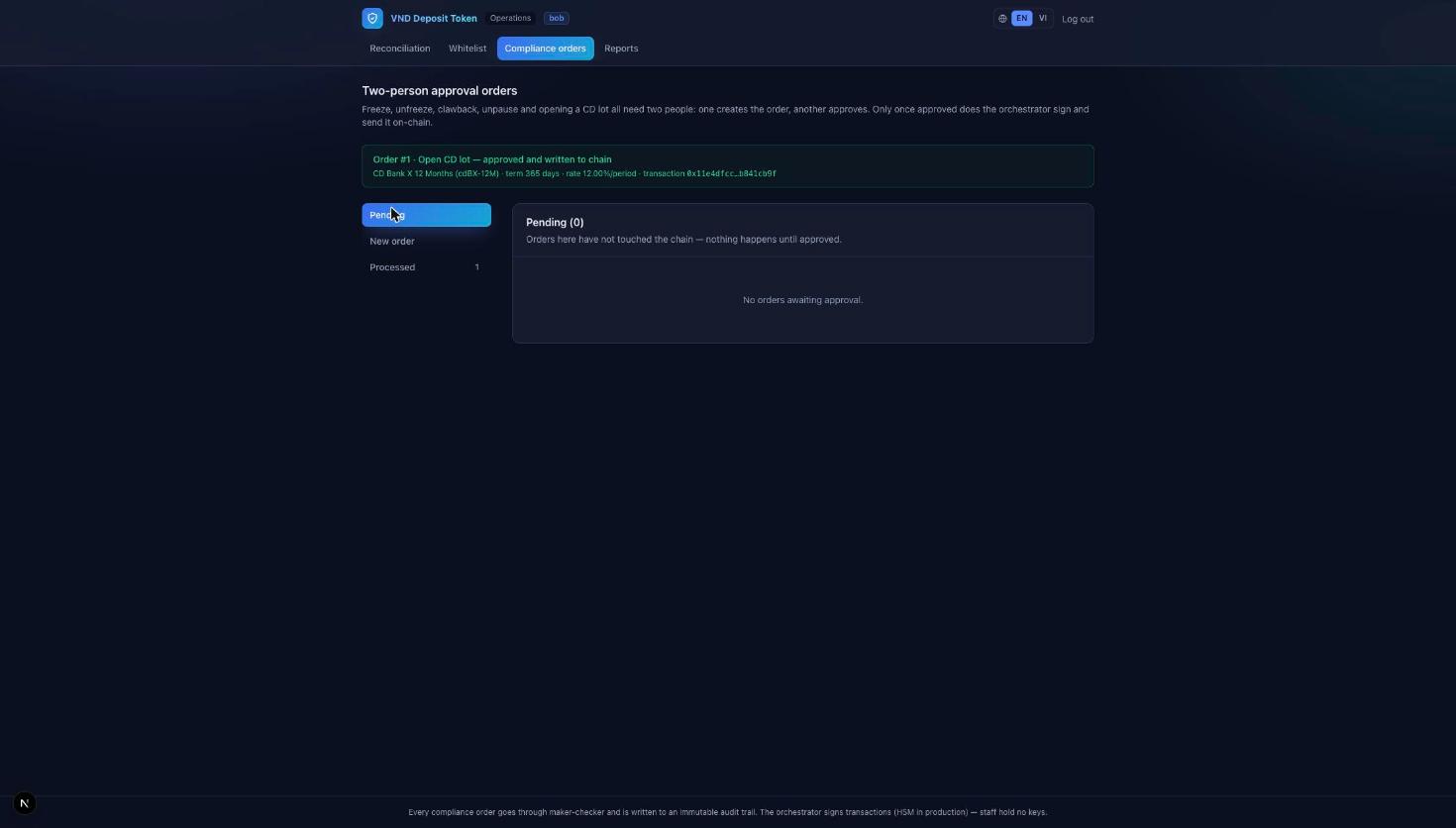
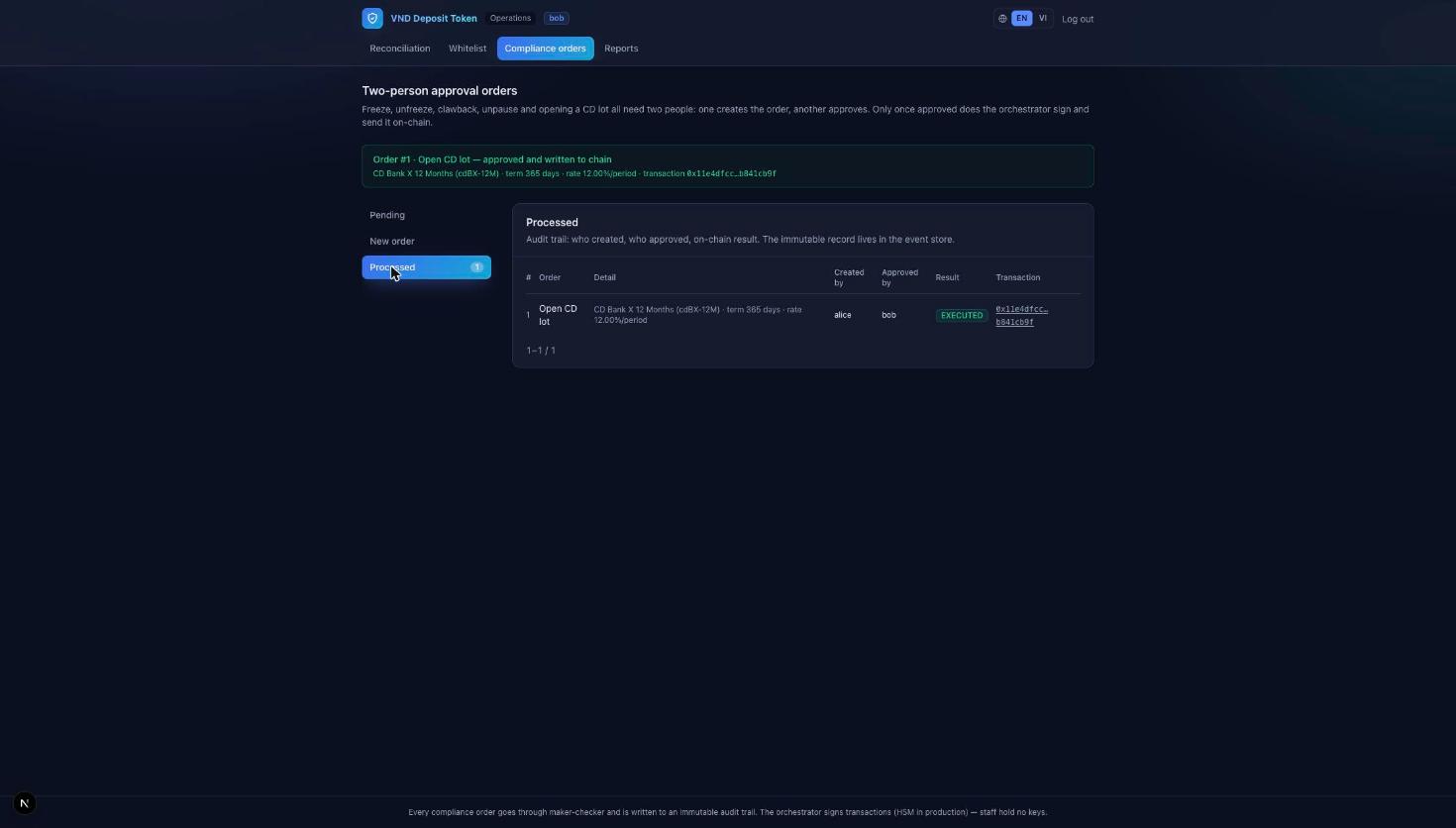
- Only now does the bank sign and broadcast: the CD contract is deployed and the product appears in the customer catalogue. The action is written to an immutable audit trail.
5.4 Reports
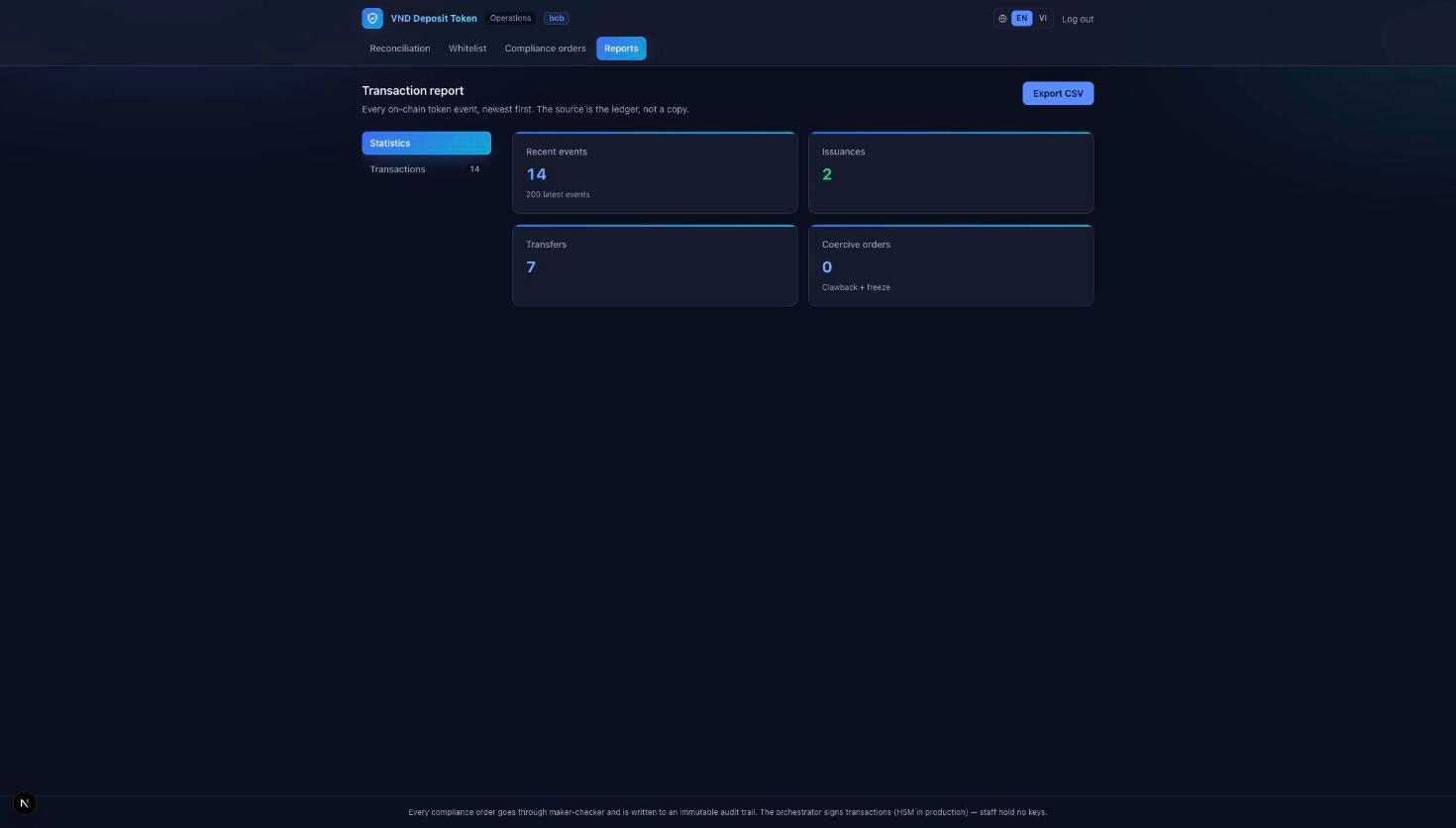
The Reports screen summarises on-chain activity — recent events, issuances, transfers, and any coercive actions (freeze / clawback) — and exports the full event list to CSV for downstream systems and auditors.
6. Chain data (blockchain explorer)
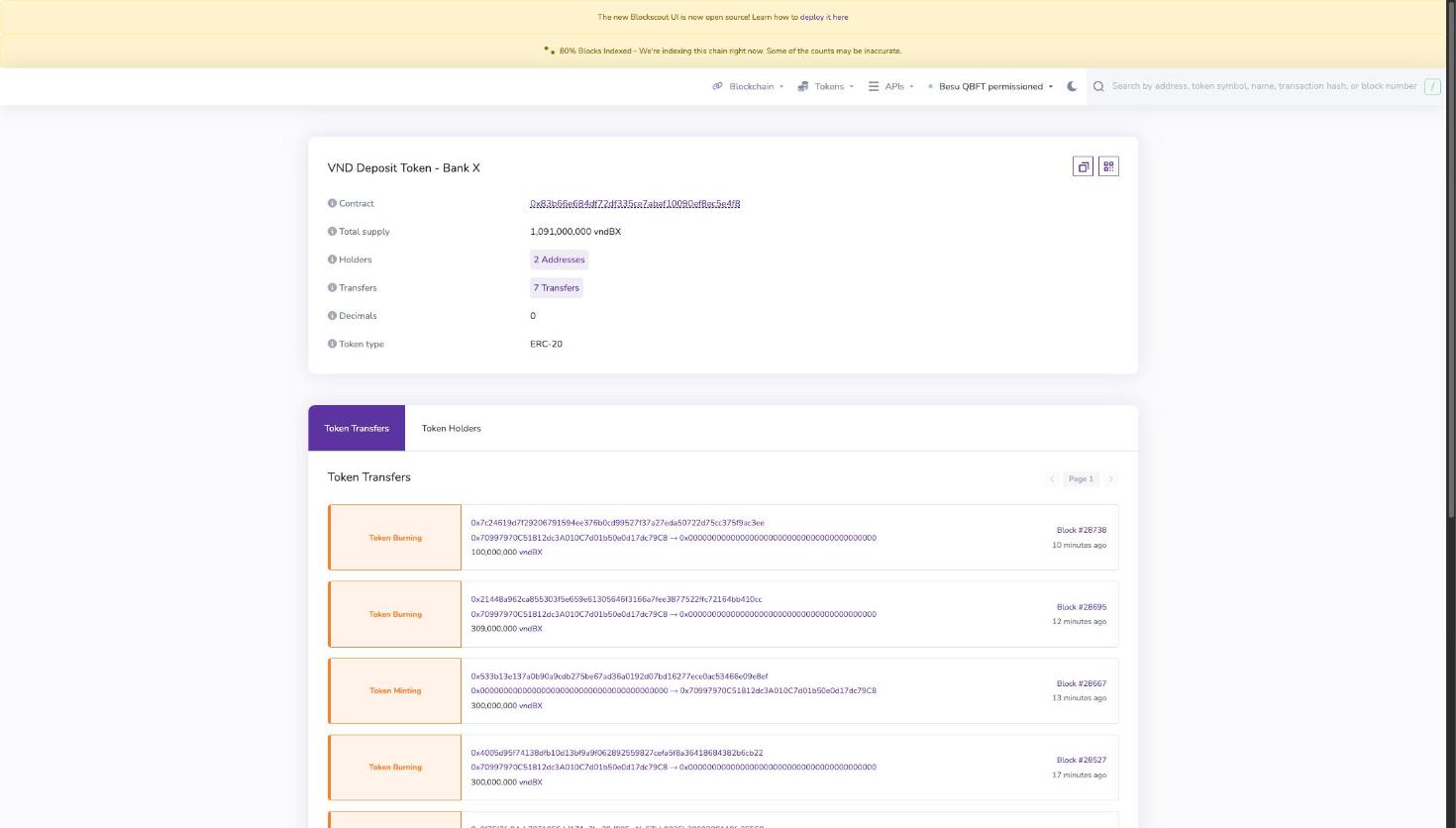
The explorer recognizes the deposit token (vndBX) as a standard ERC-20 with decimals = 0 (1 token = 1 VND), and classifies each event as a mint (a deposit), a burn (a redemption) or a transfer. Total supply here always equals the omnibus balance shown in the operations console — the invariant, seen from the outside. Every transaction id in the customer History links straight here.
7. The value, at a glance
The same deposit, but faster, safer to audit, and programmable.
| Dimension | Traditional banking | VND Deposit Token |
|---|---|---|
| Availability | Banking hours, cut-off times | 24 / 7 / 365 |
| Settlement | Clearing windows, settlement risk | Final in ~2s, no reorg |
| Backing proof | Periodic reports, must reconcile | 1:1, checked every block |
| Audit trail | Copies that can be disputed | Immutable, on-chain |
| CD / bond liquidity | Break early = lose interest | Trade or pledge, keep the yield |
| Secured lending | Days of paperwork | Atomic drawdown & release |
| Compliance | Enforced per system, after the fact | Enforced by the asset, in real time |
| Onboarding | Re-checked per product | KYC once, honoured everywhere |
8. Try it yourself
A ten-minute tour that exercises the whole system end to end. Sign in to the customer app as ACME:
- Deposit some money into tokens, and watch the dashboard update.
- Transfer a little to BETA — note it settles instantly.
- Buy a CD from an open lot, then check your Holdings and the payout at maturity.
- Buy a bond (you're already recognized as a professional investor), and see the coupon schedule.
- Open a collateral loan against your CD, then repay it to release the collateral.
- Redeem some tokens back to your payment account.
- Open History and click a transaction id to verify it on the explorer.
- Now switch hats: sign in to the operations console and watch the reconciliation stay matched, review the whitelist, and run a two-person approval to launch a new CD product.